The Ultimate Guide to Google Ads Extensions

Google Ads Extensions are valuable tools that enhance search ads by providing additional information to users. They can increase click-through rates, lower costs, and improve positioning. Essential extensions include Sitelink Extensions, Callout Extensions, and Structured Snippet Extensions. Tailored extensions include Call Extensions, Price Extensions, Promotion Extensions, Location Extensions, App Extensions, Lead Form Extensions, Image Extensions, and Business Name & Logo. Automated extensions are default options that can be customised or turned off. Google Ads extensions allow businesses to create more engaging and informative ads for better online success.
What are Google Ads Extensions?
The Google search results page is a powerful and competitive space, with exponential digital adoption this is only set to become more saturated, so how do you stand out from the noise?
Enter Google Ads Extensions. Combined with persuasive, engaging and relevant ad copy, ad extensions are a fantastic swiss-army knife of wonderful tools to enhance your search ads with valuable and insightful information to support your ads.
The upshot of this can ultimately lead to higher click-through rates, something every ppc-er should strive for, this signals to Google your ads are highly relevant and can result in cheaper cost per clicks and higher positioning without sacrificing traffic quality, a huge motivator for any business.
The key with ad extensions is to not use them for the sake of it, to truly maximise their usefulness we should be selective as advertisers on which ones to use when and where they’re appropriate. So if you want to know your sitelinks from your structured snippets, read on and we’ll break them all down.
Essential Ad Extensions
There are some extensions that are useful and applicable for most businesses that almost come as standard practise, these should be your bare minimum unless you’re repeating what’s already contained within your ad copy:
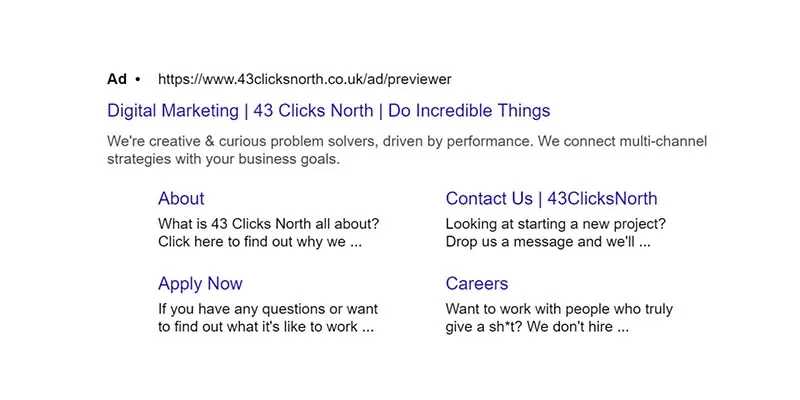
1. Sitelink Extensions
These are additional links below your ad that can direct traffic to higher intent pages on your site like subcategories of a broader category, this can enhance the user experience and send them a page of your site that is much more relevant to them leading to potentially higher conversion rates.
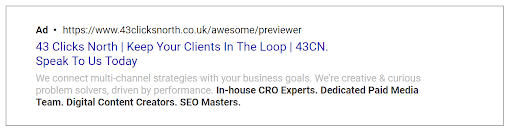
2. Callout Extensions
A fantastic way to shout about your unique propositions your business has to offer, from free delivery to planting a tree with every order, it could be any offering from your business that has a genuine benefit and use for viewers of the ad. The best callouts are those that are hard to replicate by your competition to truly stand out from the crowd.
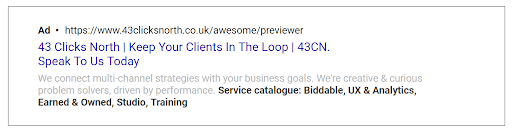
3. Structured Snippet Extensions
Designed to give an insight into the variety of your service or product offering, this varies tremendously by business but could be a range of locations for a hotel, or a list of product categories for an eCommerce store. The beauty of structured snippets is to inform viewers on the variety of your offering, this can help better qualify your visitors to help reduce your bounce rates and wasted spend.
Tailored Extensions
These are the ones where you’ll want to be more selective with, not all of these will be relevant to your business but you should see at least 2 or 3 that catch your eye.
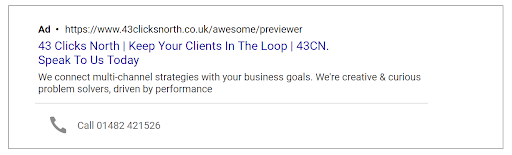
1. Call Extensions
Taking phone calls? Enable visitors to call you straight from Google! Bypass the need for potential customers to visit your site entirely and get more leads on the phone. You can schedule when your extensions appear so be sure to set them up for your opening hours only or you could waste spend displaying your number when your lines aren’t open.
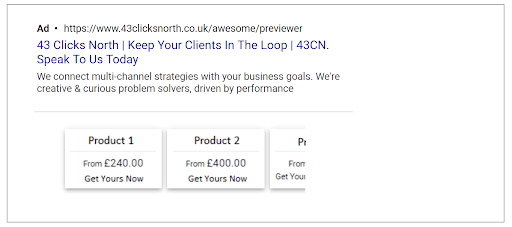
2. Price Extensions
A fantastic way to pre-qualify visitors, similar to sitelink extensions but as you guessed it, with prices! The beauty here is this richer information can deter visitors who would never be willing to pay the displayed prices (saving you money on clicks) and attract those that are. This can drive a significantly higher conversion rate in a similar way that shopping ads do.
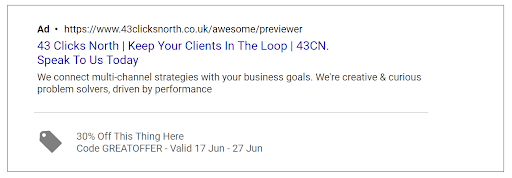
3. Promotion Extensions
Shout about your offers on Google with ease, this can really help you break out from the noise. Display relevant promotions below your ads for a set duration detailing the specifics of the event, show the time sensitive nature of the offer to drive a sense of urgency and give your click-through rates a boost to establish your ads better.
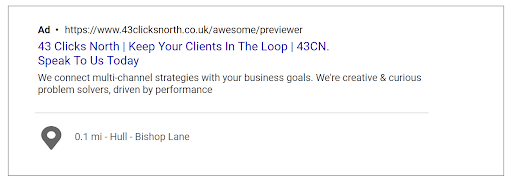
4. Location Extensions
If you have a store or showroom nearby you can drive visitors by displaying your address below your ad. You’ll need to link your Google Ads account with a Google MyBusiness account which will pull through the details for you. Searchers within a close proximity to your store will trigger the extension, bring up directions and drive footfall to in-store.
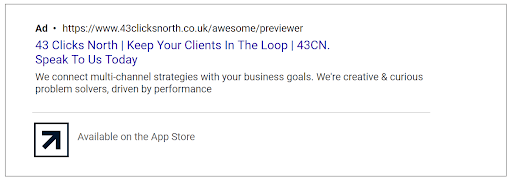
5. App Extensions
If you’ve got an app and want to drive installs you can easily do so, app extensions are simple and easy to set up. Search for your app on Google Play or the iOS store within the extension and your app will pull straight through. A lot of advertisers don’t have app’s so this can really make your ad pop on the search results and drive very cost effective installs, just be mindful if there’s another action you want them to take on your site it can distract them away from this.
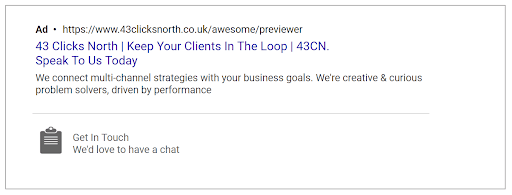
6. Lead Form Extensions
You can now generate enquiries on the search results page, this more advanced extension takes some setting up but can drive cheaper enquiries for you once set up. You can build your form within ads and select the criteria you want to capture. Next is directing the customer data, you can export to a CSV sheet, or you can use Zapier to integrate with your CRM system and pull the leads straight through for ease. It can be worth trialling using the CSV system first until you decide to roll it out further and then look to integrate from there.
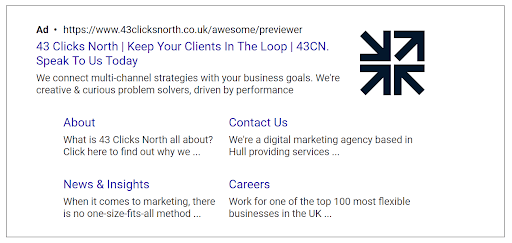
7. Image Extensions
You can display a small image alongside your ad copy to visually enrich your ads, this is in its infancy right now but is expected to help push click-through rates up, there’s a likelihood this will only display for 1st position results. We recommend trialling the dynamic image extension option which will automatically pull from your site, run this as a trial and roll out further if you’re happy with the performance.
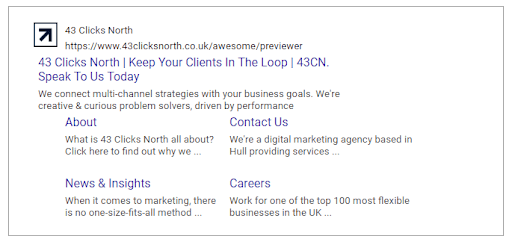
8. Business Name & Logo
When Google Ads is able to find your business name and logo on your landing page, it'll automatically add them to your campaign and show them in your ads. You'll then be able to review and remove any information that you don't want to include. You’ll also have the option to manually add a business name and logo to each campaign. Keep in mind that any business names or logos created from your landing page will automatically show in your ads if you don't remove them or choose to add your own.
Automated Extensions
If you don’t set any extensions your Google Ads account will by default crawl your site to pull through sitelink, structured snippet and callout extensions. These can have extremely varied results and we always recommend curating your own. You can turn these off within the extensions area by heading to:
- Ads and assets
- Assets
- Select the “3 dots” on the top right of the report
- Click “Account-level automated assets”
- Select the “3 dots” on the top right of the report (again)
- Select “Advanced options”
- Expand and toggle on/off the extensions you want
Conclusion
Google Ads extensions are diverse and overwhelming at first but allow you to truly curate your ads to your business to enrich the context of your ad resulting in more informed visitors that are better primed to engage with your business and succeed online.
Stopped growing online?
We know how to fix that.
We start with your data, not your channels.
Commercial, market, performance, customer and behavioural data, woven into one view rather than five separate reports.
It shows where your profit comes from, which activities earn their place, which are dead weight, and what's worth doing next.
We typically find 15-30% in wasted marketing spend in the first 3 months.
Channels are the tools; making your business more money is the objective.
Latest News
See all.jpg)
Black Friday Measurement Guide
Good Black Friday ROAS doesn't mean money in the bank. How to set the goal, track MER through peak and review what new customers are worth.


Black Friday Landing Page Guide
More Black Friday traffic won't fix a leaky journey. How to build the sale page, clear conversion blockers and fix checkout before you buy more clicks.
Black Friday Ads Guide
Spending more over Black Friday isn't the only way to grow. How to reallocate budget, structure Meta and Google, and plan creative for peak.